v2.0 Breach check, phishing guard & emergency access

Your passwords. Your computer. Nobody else.

PyPass Manager is a free, offline password manager for Windows. It encrypts your vault on your own device, warns you about leaked passwords and fake websites, and lets people you trust help you recover access in an emergency.

Free & open source · No account · No cloud · Windows 10 & 11
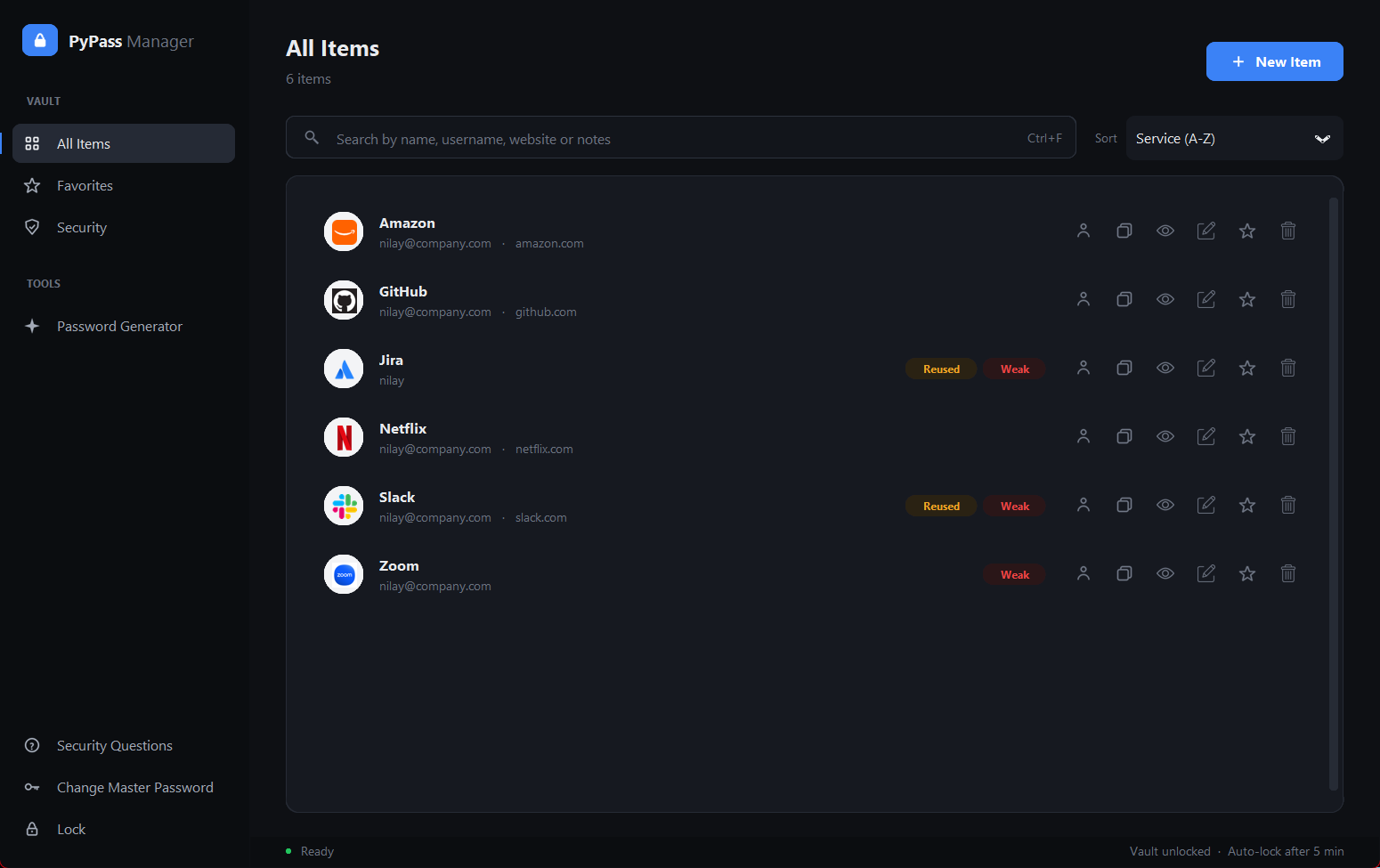
PyPass Manager dashboard with saved logins and website logos
Local-firstYour vault never leaves your PC
EncryptedAES + PBKDF2-SHA256
Free foreverNo subscription, no ads
Open source120+ automated tests
What makes it different

Security features most free password managers don't have

On top of a solid encrypted vault, PyPass Manager actively protects you from the three ways people really lose accounts: leaks, phishing and lockouts.

Breach check

Know when a password has leaked

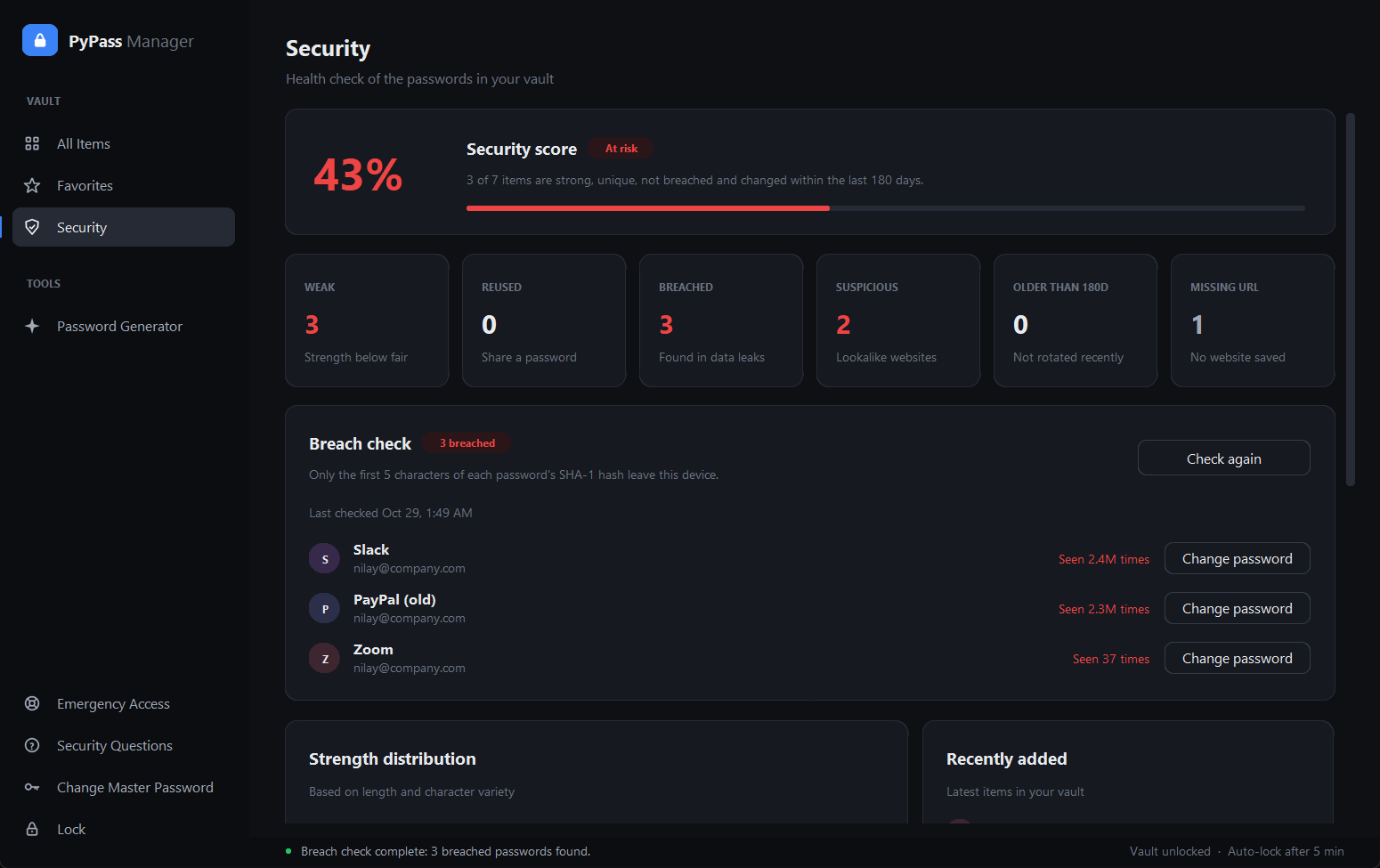
Check your whole vault against more than 900 million passwords exposed in real data breaches, powered by Have I Been Pwned.

  • Only the first 5 characters of a password's SHA-1 hash leave your computer (k-anonymity)
  • Breached items are flagged in your list, showing how often they were seen
  • Runs only when you ask, with no background network activity
Security dashboard with security score and breached passwords
Phishing guard

Spot fake websites before you trust them

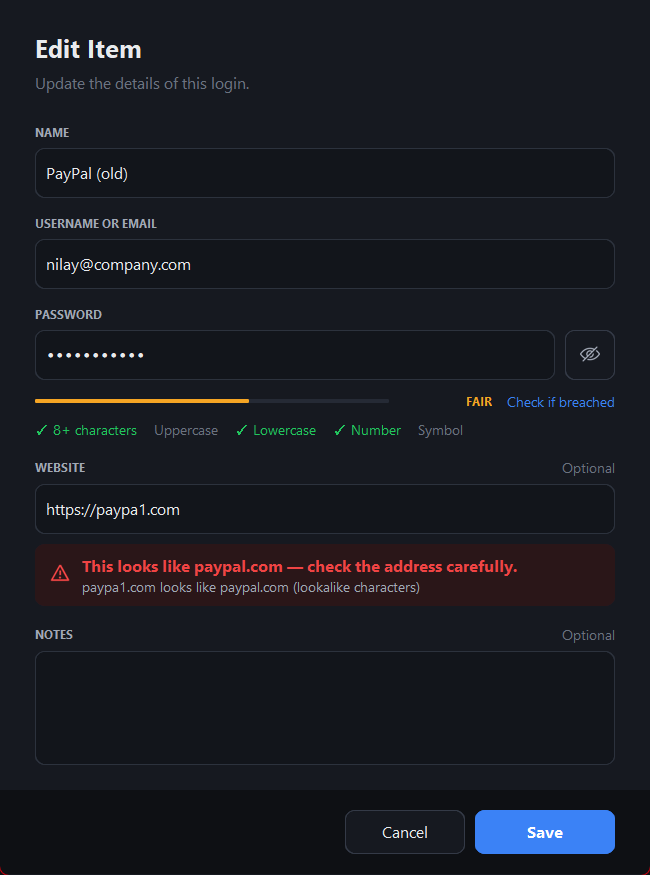
An offline lookalike-domain detector warns you the moment a saved address imitates a real site.

  • Lookalike characters: paypa1.com, rnicrosoft.com
  • Unicode homographs, typosquats and paypal.secure-login.com tricks
  • Also compares against the real sites already in your vault
Edit item dialog warning that paypa1.com looks like paypal.com
Emergency access

Recovery that doesn't depend on a company

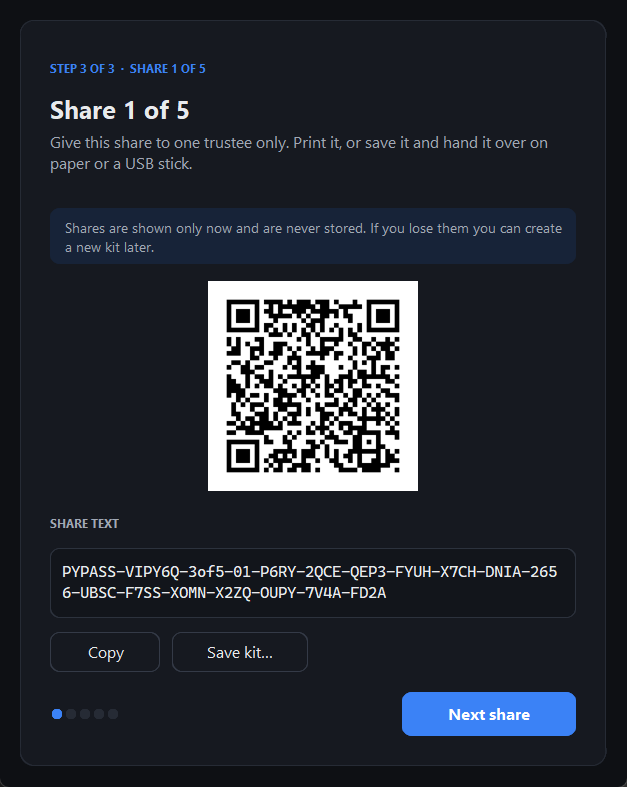
Split a recovery key between people you trust using Shamir's Secret Sharing. Choose, for example, any 3 of 5 trustees: together they can restore access, but fewer than 3 learn nothing at all.

  • Each trustee gets a QR code and a printable kit
  • The app never stores shares, and old kits stop working when you make a new one
  • Your saved passwords are kept when you recover
Emergency access share with QR code
Everything included

All the essentials, done properly

Security score

One number for your vault's health, with weak, reused, old and breached items and one-click fixes.

Password generator

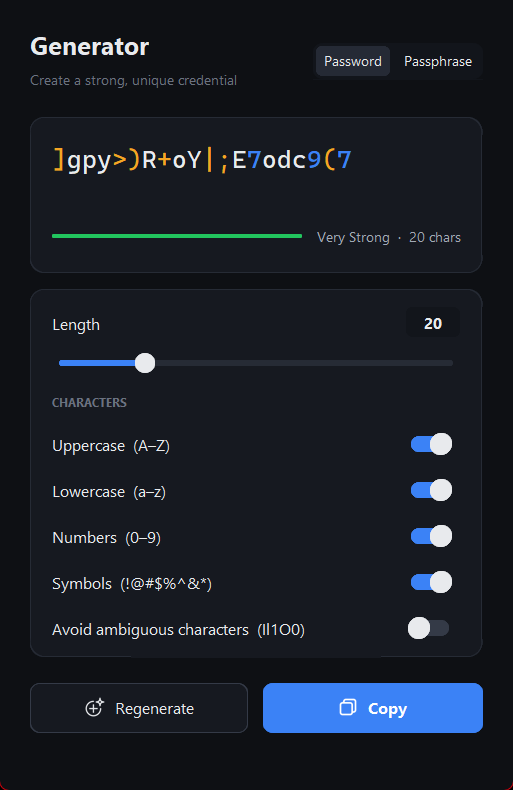
8–64 characters or memorable passphrases, from a cryptographically secure random source.

Website logos

Every login shows its site's logo, even without a URL. Logos are cached on your PC.

Auto-lock

Locks after inactivity, hides the vault and wipes keys and decrypted data from memory.

Clipboard auto-clear

Copied passwords are cleared after 15 seconds, but only if you haven't copied anything else since.

Instant search

Search names, usernames, websites and encrypted notes. Sort and pin favorites.

Change without loss

Change or recover your master password at any time, without re-encrypting or losing data.

Brute-force lockout

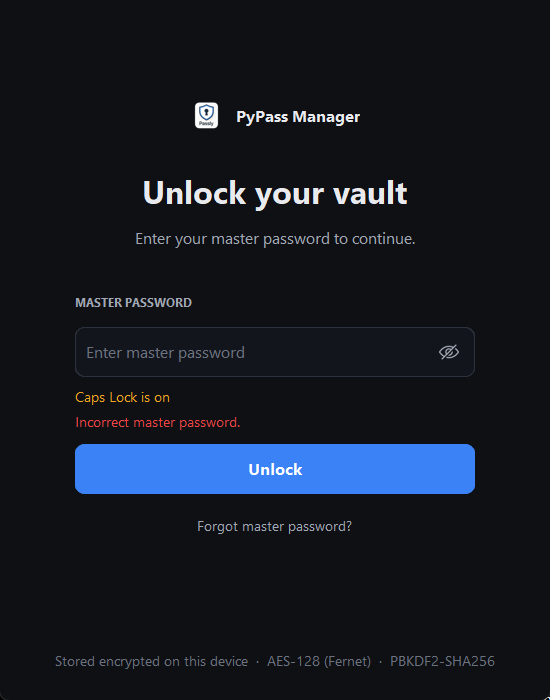
Repeated wrong guesses trigger a growing lockout that survives restarts.

Security questions

A second recovery route that ignores capitals and extra spaces.

How it works

One vault key, three ways to unlock it

All passwords and notes are encrypted with a single random vault key. That key is stored three times, each copy locked by a different route. This is why you can change or recover your master password without losing anything.

Master passwordPBKDF2-SHA256 · 480,000 rounds
Security answersNormalised, then PBKDF2
K-of-N emergency sharesShamir's Secret Sharing over GF(256)
Vault keyRandom key, stored only in wrapped form
PasswordsFernet (AES-128-CBC + HMAC-SHA256)
NotesEncrypted the same way

Stays on your device

The vault is a local file in your user profile. There's no server, account or sync service to breach.

Minimal network use

Only two features go online: website logos (domain only) and the breach check (a 5-character hash prefix, on demand). Logos can be switched off.

Honest about limits

Service names, usernames and URLs are stored unencrypted so they can be searched. Passwords and notes are always encrypted.

Screenshots

A calm, focused interface

Download PyPass Manager

Free for Windows 10 and 11 (64-bit). Installs in seconds, no admin rights needed.

Windows 10 / 11 · x64 Works fully offline Free, no account
1Download PyPass-Manager-Setup.exe from the latest release.
2Run it and click Next → Install.
3Open PyPass Manager and create your master password.
Seeing "Windows protected your PC"? This is normal for new apps that aren't code-signed yet. Click More info → Run anyway. The full source code is public on GitHub if you'd like to check it first.
FAQ

Questions, answered

Is PyPass Manager really free?

Yes. There's no subscription, no premium tier and no ads. It's an open-source project, and every feature on this page is included.

Where are my passwords stored?

In an encrypted file in your Windows user profile (%USERPROFILE%\.pypass_manager). Nothing is uploaded anywhere. Uninstalling the app keeps your vault, so reinstalling or upgrading never loses data.

What happens if I forget my master password?

You have two recovery routes: your security questions, or Emergency Access, where any K of your N trustees combine their shares. Both let you set a new master password and keep all your saved passwords.

Does the breach check send my passwords online?

No. Only the first 5 characters of each password's SHA-1 hash are sent to Have I Been Pwned, which returns hundreds of matching hashes. The comparison happens on your computer, so neither the service nor anyone watching the network learns your password.

Can I use it without internet?

Yes. Everything works offline. The internet is only used for website logos and for the breach check when you click it, and logos can be turned off.

Is it available for Mac or Linux?

The installer is for Windows only. Because the app is written in Python, it can be run from source on other systems; see the instructions on GitHub.